Understand, review and change any network device configuration with AI
HyperLens reads configurations and console transcripts from Huawei, H3C, Cisco, Arista, Aruba, Juniper, Fortinet, MikroTik, Dell and more. It maps ports, VLANs and LAGs, flags what looks wrong, compares devices and versions, and answers your questions citing the exact lines — with the commands and the rollback when you need a change.
Free · part of the network & storage tools: signing up here adds them to your account.
What you can do
Any vendor, any paste
display current-configuration, show running-config, Junos set or braces, FortiOS, RouterOS /export, or a full session with several commands and devices: it splits one device per prompt.
Ports, VLANs and LAGs at a glance
A filterable port table with mode, VLANs, LAG, description, IP and status; every row jumps to its lines in the configuration.
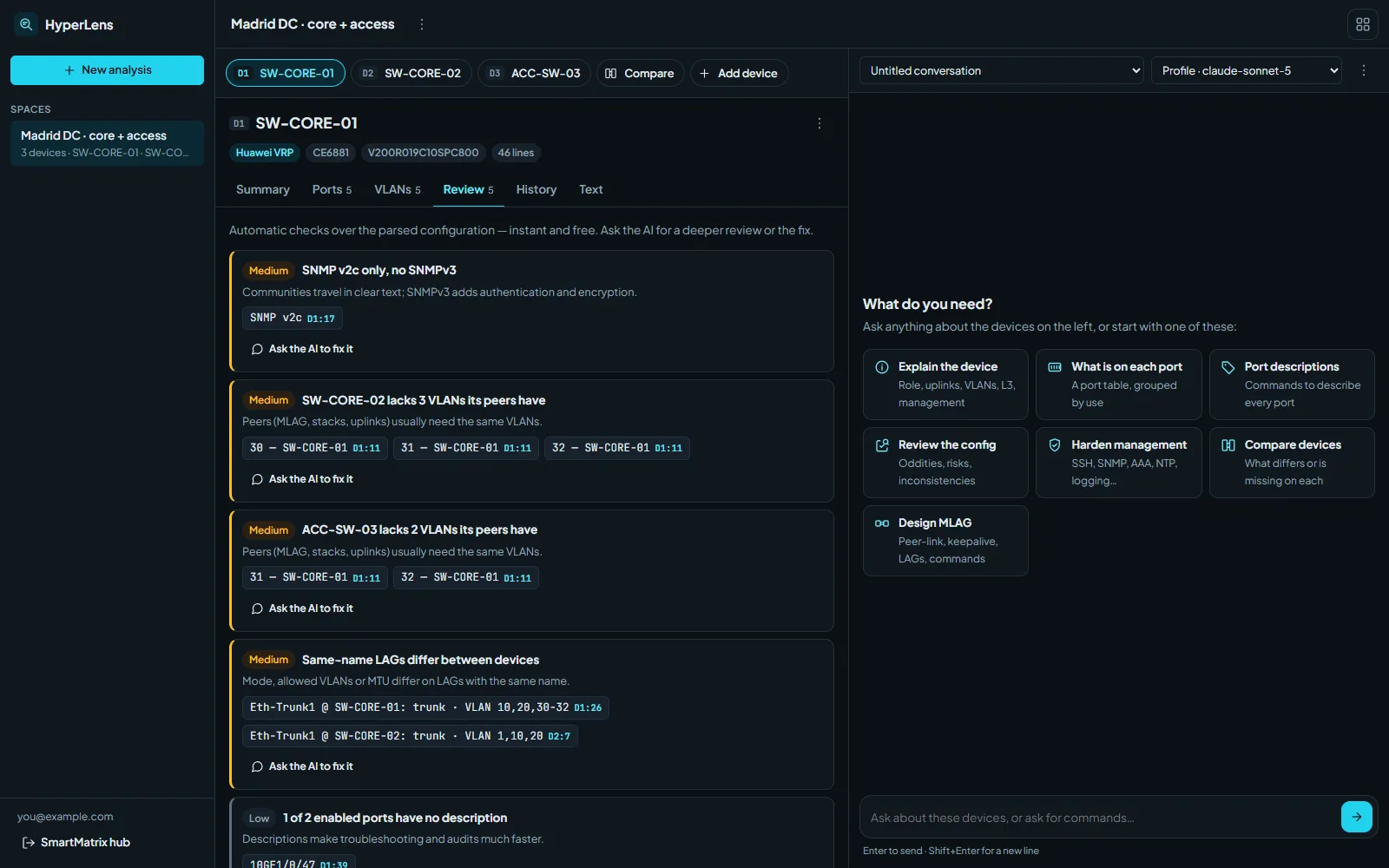
Automatic review
Instant, rule-based checks: VLANs that don't exist, LAG inconsistencies, duplicate IPs, Telnet or SNMP v2c, missing NTP/syslog/AAA, unused VLANs, and gaps between peers.
AI that cites its sources
Ask in plain language — what's on each port, write the port descriptions, design MLAG between two switches — and every claim links to the line it comes from.
Commands with rollback
Changes come as copyable command blocks per device, in the platform's own syntax, with the rollback and a warning when something can drop traffic.
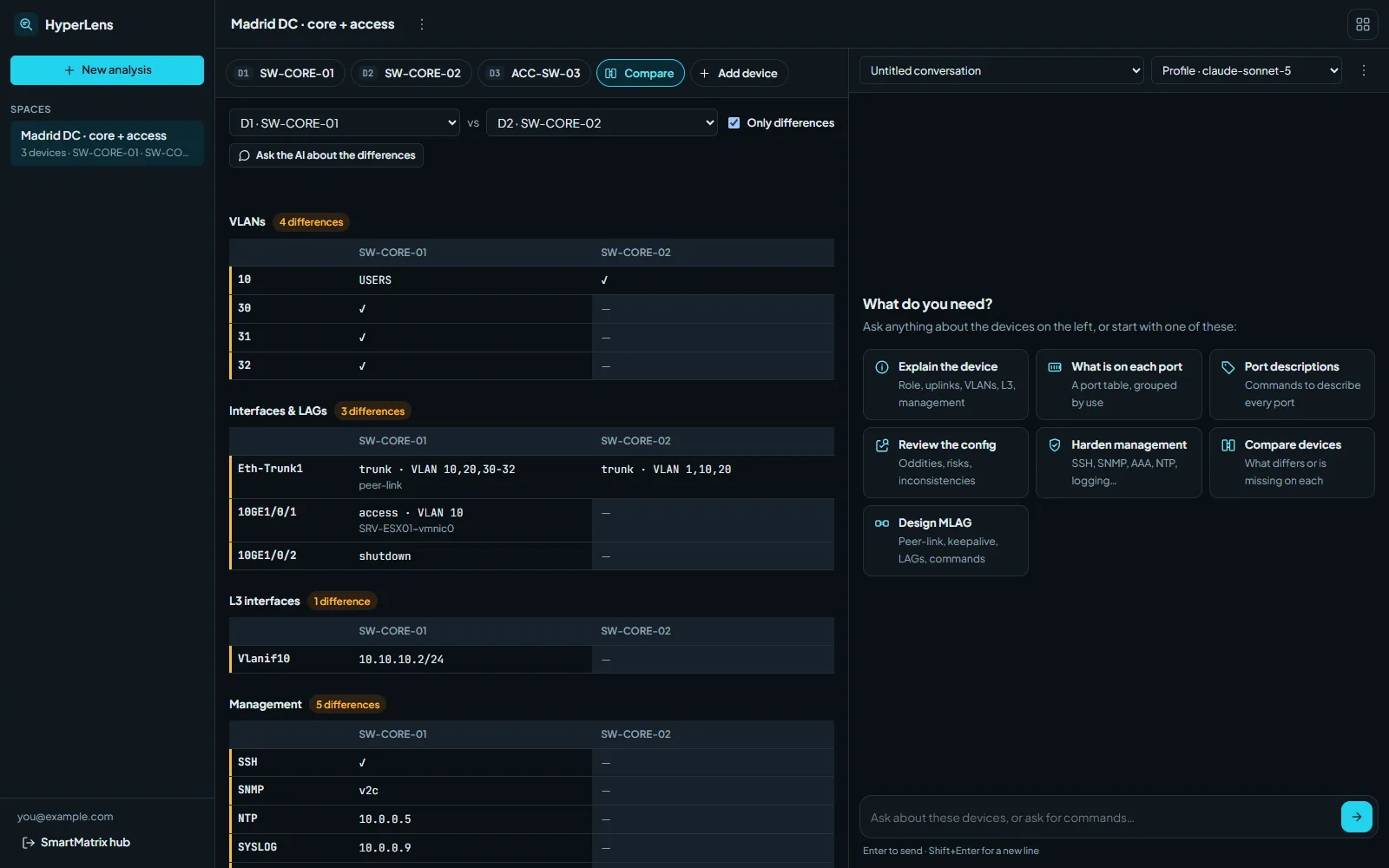
Compare devices and versions
Side-by-side view of two devices, and a diff of what changed between two exports of the same box — structurally and line by line.
Secrets stay out of the AI
Passwords, keys, SNMP communities and certificates are masked before anything is sent to the AI provider.
Your model, from your profile
It uses the model you chose in your SmartMatrix profile; switch to a more capable one for a single conversation without touching it.
How to start
- Create a free SmartMatrix account and add your OpenAI, Anthropic or Perplexity key in your profile.
- Paste a configuration or a console session, or drop the files: HyperLens analyses each device.
- Read the review, compare the devices, and ask the AI for explanations or the commands you need.
Frequently asked questions
Which vendors does it support?
Huawei VRP, H3C Comware, Cisco IOS/IOS-XE/NX-OS/ASA, Arista EOS, Aruba AOS-CX and AOS-S, Juniper Junos, Fortinet FortiOS, MikroTik RouterOS and Dell OS10 are parsed into ports, VLANs and LAGs. Anything else is accepted as text and the AI still reads it in full.
Are my passwords sent to the AI?
No. Passwords, secrets, keys, SNMP communities, PSKs and certificate bodies are replaced by placeholders before the text reaches the AI provider. You can see exactly what is sent with “What the AI sees”.
Does it connect to my devices?
No. HyperLens only works with the text you paste or upload; it never logs into equipment. You copy the commands and apply them yourself.
Is it free?
Yes. The analysis, review, comparison and history are free; the AI chat uses your own provider key.
Other SmartMatrix apps
HyperParse
Console transcripts into clean CSV, Excel and JSON tables.
ScriptForge
Network configuration scripts from templates.
SmartConfigure
Bulk SSH configuration of network devices from a template and an Excel sheet.
Part of SmartMatrix. SmartMatrix is a free suite of web apps for food, fitness, study and work, with one account and your own AI across all of them. See every app →